LaTeX Table Generator
Edit the table below, or paste cells from Excel, Google Sheets or CSV. The LaTeX code and a live preview update as you type.
Free · Runs in your browser · Your text is never uploaded
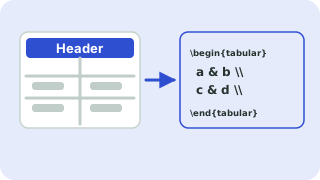
Paste from Excel, Google Sheets, CSV or a Markdown table
Tip: click a cell, then use the buttons. Press Enter to move down. You can paste a block of cells into any cell.
Preview
How to use the table generator
- Type into the cells, or paste a block of cells from Excel, Google Sheets or a CSV file straight into any cell.
- Choose a style, whether the first row is a header, and the alignment of each column with the drop-downs above the grid.
- Use Merge right and Merge down to join cells. The code uses
\multicolumnand\multirowfor you. - Copy the code into your document. The note under the code lists the packages to add to your preamble.
Which style should I choose?
Professional (booktabs) uses thin rules at the top, under the header and at the bottom, with no vertical lines. It is the style recommended by most journals and typographers, and needs \usepackage{booktabs}. All borders draws every line and works with plain LaTeX. Lines above, below and under header is the plain-LaTeX equivalent of booktabs.
Special characters
The characters & % $ # _ { } ~ ^ \ have special meaning in LaTeX and cause errors if typed in a cell. By default they are escaped automatically, so 50% becomes 50\%. Turn the option off when you want to write math or commands yourself, for example $x^2$.
Merged cells
Merging across columns uses \multicolumn, which is built into LaTeX. Merging down rows uses \multirow and requires \usepackage{multirow}. With the borders style, the generator draws partial rules with \cline so lines do not cut through merged cells.
Wide tables
If a table runs off the page, tick Scale to fit the text width. It wraps the table in \resizebox and needs graphicx. For long text columns, consider the tabularx package or p{3cm} column types after copying the code.
Related guides
Popular latex table generator presets
Frequently asked questions
How do I make a table in LaTeX?
Use the tabular environment with a column specification such as {lcr}, separate cells with & and end rows with \\. This generator writes all of that for you from the grid.
How do I convert an Excel table to LaTeX?
Select the cells in Excel, copy them and paste into any cell of the grid. They are placed automatically, and you can copy the generated code.
How do I merge cells in a LaTeX table?
Select a cell and click Merge right or Merge down. Column merges use \multicolumn and row merges use \multirow.
What is booktabs?
A package that gives tables cleaner horizontal rules (\toprule, \midrule, \bottomrule) and better spacing. Add \usepackage{booktabs} to your preamble.
Is my data uploaded?
No. The table is built in your browser, and nothing leaves your device.
Related tools
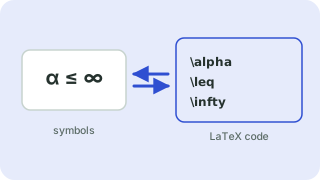 Symbols to LaTeX ConverterTurn symbols like α, ≤ and → into LaTeX code, and back
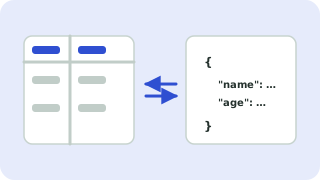 CSV ↔ JSON ConverterConvert CSV to JSON and JSON to CSV
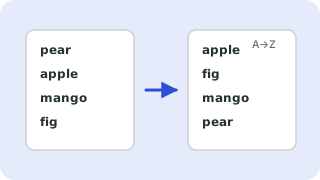 Sort LinesSort a list alphabetically, numerically or randomly
 Remove Duplicate LinesDelete repeated lines from a list
- CSV to LaTeX Table ConverterConvert CSV to LaTeX table code
- Excel to LaTeX Table ConverterConvert Excel tables to LaTeX
- LaTeX Table with Merged CellsBuild tables with multicolumn and multirow
- Booktabs Table GeneratorCreate booktabs-style tables