 InstantToolDeck
JSON Formatter & Validator
Paste JSON to pretty-print it, minify it or check that it is valid. Errors show the line and column.
Free · Runs in your browser · Your text is never uploaded
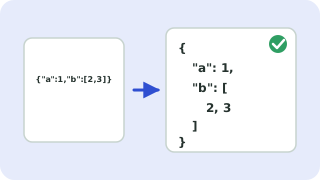
Formatting, minifying and validating JSON
JSON (JavaScript Object Notation) is the standard text format for APIs and config files. Formatting adds indentation so nested data is readable. Minifying strips every unnecessary space to make the payload as small as possible. Validating confirms that the text follows the JSON rules and tells you where it does not.
Most common JSON errors
- Trailing commas:
{"a":1,}is not allowed in JSON, though JavaScript accepts it. - Single quotes: keys and strings must use double quotes.
- Unquoted keys:
{name:"x"}must be{"name":"x"}. - Comments: JSON does not support
//or/* */comments. - Missing brackets or commas between items.
Very large numbers (beyond 15–16 digits) can lose precision when parsed, as in any JavaScript-based tool. Sorting keys is handy when comparing two JSON documents.
Popular json formatter & validator presets
Frequently asked questions
How do I validate JSON?
Paste it in the box. If it is valid you will see “Valid JSON”, otherwise the error shows the line and column of the first problem.
What is the difference between formatting and minifying JSON?
Formatting adds line breaks and indentation for humans. Minifying removes all optional whitespace to reduce size.
Is my JSON sent to a server?
No. Parsing and formatting happen in your browser, so private API responses and keys stay on your device.
Why does my JSON say unexpected token?
A character appears where JSON does not allow it, most often a trailing comma, a single quote or a missing comma or bracket just before the reported position.
Related tools
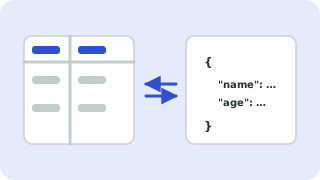 CSV ↔ JSON ConverterConvert CSV to JSON and JSON to CSV
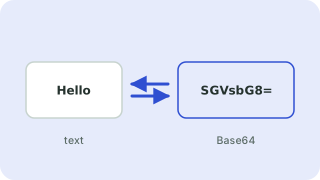 Base64 Encoder & DecoderEncode text to Base64 and decode it back
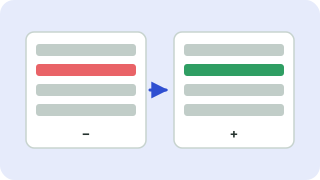 Text Diff CheckerCompare two texts and see what changed
 JWT DecoderDecode and inspect JSON Web Tokens
- JSON MinifierCompress JSON by removing whitespace
- JSON ValidatorCheck JSON syntax and find errors