 InstantToolDeck
Image Converter
Drop images and choose a format. Conversion happens on your device and nothing is uploaded.
Free · Runs in your browser · Your files are never uploaded
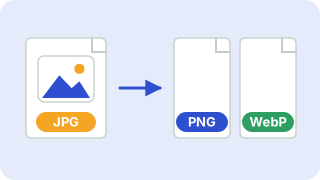
Your files are processed in your browser and are never uploaded.
Which format should I choose?
- JPG is best for photographs and is accepted everywhere. It has no transparency, so transparent areas become white.
- PNG is lossless and keeps transparency, ideal for logos, screenshots and graphics with sharp edges. Photos in PNG are large.
- WebP gives smaller files than both JPG and PNG and supports transparency. All modern browsers display it, though some older apps and print services do not.
Converting from a lossy format (JPG, WebP) to PNG does not restore lost detail; it just stores the current pixels without further loss. Converting repeatedly between lossy formats reduces quality each time, so keep your original.
Popular image converter presets
Frequently asked questions
How do I convert a PNG to JPG?
Choose “JPG” and drop your PNG files. Transparent areas are filled with white.
Will converting reduce quality?
PNG output is lossless. JPG and WebP are lossy, but at quality 90 the difference is rarely visible.
Are my images uploaded?
No. Everything is converted locally in your browser.
Can it read WebP, GIF or BMP files?
It can open any image format your browser can display, including WebP, GIF, BMP and often AVIF. Animated GIFs convert to their first frame.
Related tools
 Image CompressorReduce image file size without uploading
 Image ResizerResize images to exact pixels or a percentage
 Image to PDFCombine JPG and PNG images into one PDF
 Base64 Encoder & DecoderEncode text to Base64 and decode it back
- PNG to JPG ConverterConvert PNG images to JPG
- JPG to PNG ConverterConvert JPG images to PNG
- WebP to JPG ConverterConvert WebP images to JPG
- WebP to PNG ConverterConvert WebP images to PNG