 InstantToolDeck
CSV ↔ JSON Converter
Paste CSV to get JSON, or paste a JSON array to get CSV. Quoted fields and custom delimiters are handled.
Free · Runs in your browser · Your text is never uploaded
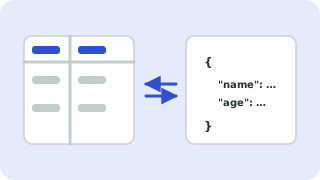
CSV to JSON
Each row becomes an object whose keys come from the header row. Fields wrapped in double quotes can contain commas and line breaks, and a doubled quote ("") stands for one quote character. With “Convert numbers and true/false” on, values like 34 and true become real JSON numbers and booleans; turn it off to keep everything as strings (useful for ZIP codes and IDs with leading zeros).
JSON to CSV
Paste an array of objects. The header is the union of all keys, and missing values are left empty. Nested objects and arrays are written as JSON text inside the cell. An array of arrays is also accepted.
For European spreadsheets that use semicolons, pick the semicolon delimiter. Everything stays in your browser.
Popular csv ↔ json converter presets
Frequently asked questions
How do I convert CSV to JSON?
Paste the CSV, keep “CSV to JSON” selected and copy the result. The first row is used for property names.
How are commas inside values handled?
Wrap the value in double quotes, as in standard CSV. The converter reads and writes quoted fields correctly.
Why did my ZIP codes lose leading zeros?
Number conversion turned them into numbers. Untick “Convert numbers and true/false” to keep text as-is.
Can I convert nested JSON to CSV?
Nested values are written as JSON text in a single cell. Flatten the data first for one column per nested key.
Related tools
 JSON Formatter & ValidatorFormat, minify and validate JSON
 Sort LinesSort a list alphabetically, numerically or randomly
 Remove Duplicate LinesDelete repeated lines from a list
 Text CleanerRemove extra spaces, line breaks and blank lines
- CSV to JSON ConverterConvert CSV files to JSON
- JSON to CSV ConverterConvert JSON arrays to CSV