Excel to LaTeX Table Converter
Copy cells in Excel or Google Sheets and paste them into the first cell.
Free · Runs in your browser · Your text is never uploaded
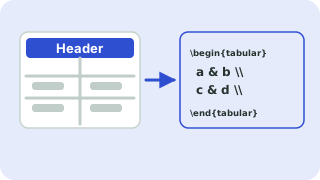
Paste from Excel, Google Sheets, CSV or a Markdown table
Tip: click a cell, then use the buttons. Press Enter to move down. You can paste a block of cells into any cell.
Preview
Paste straight from a spreadsheet
Select a range in Excel, Google Sheets or LibreOffice Calc, copy it, click the first cell of the grid and paste. The cells land in the right rows and columns. Everything you see in the preview is exactly what the code produces.
Spreadsheets do not carry merged cells over, so use Merge right and Merge down for headers that span several columns. Percent signs and ampersands are escaped automatically.
Need more options? Open the full LaTeX Table Generator.
Related guides
Frequently asked questions
How do I copy an Excel table into LaTeX?
Copy the cells in Excel, click the first cell in the grid and paste. Then copy the generated LaTeX code.
Do formulas and formatting carry over?
Only the displayed text is pasted. Add bold or alignment with the options.
Does it work with Google Sheets?
Yes. Copied ranges from Google Sheets paste the same way.
Related tools
- LaTeX Table GeneratorBuild a table in your browser and copy the LaTeX code
- CSV to LaTeX Table ConverterConvert CSV to LaTeX table code
- LaTeX Table with Merged CellsBuild tables with multicolumn and multirow
- Booktabs Table GeneratorCreate booktabs-style tables
- LaTeX Table with BordersCreate bordered LaTeX tables
- Markdown Table to LaTeX ConverterConvert Markdown tables to LaTeX
 Symbols to LaTeX ConverterTurn symbols like α, ≤ and → into LaTeX code, and back
 CSV ↔ JSON ConverterConvert CSV to JSON and JSON to CSV