CSV to LaTeX Table Converter
Paste CSV below and press Fill table to get LaTeX code.
Free · Runs in your browser · Your text is never uploaded
Paste from Excel, Google Sheets, CSV or a Markdown table
Tip: click a cell, then use the buttons. Press Enter to move down. You can paste a block of cells into any cell.
Preview
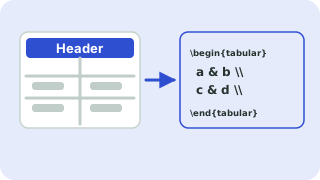
From CSV to a LaTeX table
Open the paste box, drop in your CSV text and press Fill table. Commas, semicolons, tabs and pipes are detected automatically, and quoted fields such as "Smith, Ann" are handled. Numeric columns are right-aligned for you, and you can tweak every cell afterwards.
Special characters (& % # _) are escaped so the code compiles. Pick the booktabs style for a professional look or all borders for a classic grid.
Need more options? Open the full LaTeX Table Generator.
Related guides
Frequently asked questions
How do I convert CSV to a LaTeX table?
Paste the CSV into the import box and press Fill table, then copy the generated code.
Does it support semicolon-separated CSV?
Yes. The delimiter is detected automatically.
Can I edit the data after importing?
Yes. The table is fully editable, and you can merge cells and change alignment.
Related tools
- LaTeX Table GeneratorBuild a table in your browser and copy the LaTeX code
- Excel to LaTeX Table ConverterConvert Excel tables to LaTeX
- LaTeX Table with Merged CellsBuild tables with multicolumn and multirow
- Booktabs Table GeneratorCreate booktabs-style tables
- LaTeX Table with BordersCreate bordered LaTeX tables
- Markdown Table to LaTeX ConverterConvert Markdown tables to LaTeX
 Symbols to LaTeX ConverterTurn symbols like α, ≤ and → into LaTeX code, and back
 CSV ↔ JSON ConverterConvert CSV to JSON and JSON to CSV