 InstantToolDeck
Base64 Encoder & Decoder
Convert text to Base64 or decode Base64 strings. Handles emoji and accented characters correctly.
Free · Runs in your browser · Your text is never uploaded
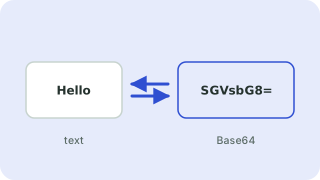
What is Base64?
Base64 represents binary data using 64 printable characters (A–Z, a–z, 0–9, + and /). It is used to embed data in text-only formats such as JSON, email (MIME), HTML data URIs and HTTP headers. It is an encoding, not encryption: anyone can decode it, so never use it to hide secrets.
URL-safe Base64
Standard Base64 uses + and /, which have special meaning in URLs. The URL-safe variant replaces them with - and _ and usually drops the = padding. JWTs use this form. The decoder accepts both forms and missing padding.
Text is converted using UTF-8 before encoding, so emoji and non-English letters round-trip correctly (unlike the browser’s plain btoa function, which fails on them).
Popular base64 encoder & decoder presets
Frequently asked questions
Is Base64 encryption?
No. It only changes how data is represented. Anyone can decode it instantly, so it provides no security.
Why does my Base64 end with = signs?
The = characters are padding that makes the length a multiple of four. URL-safe variants often omit them.
Can I decode Base64 images or files here?
This tool shows text. If the decoded data is binary, such as an image, it tells you so rather than showing garbage.
Does it support emoji and accents?
Yes. Text is encoded as UTF-8 first, so any Unicode character works.
Related tools
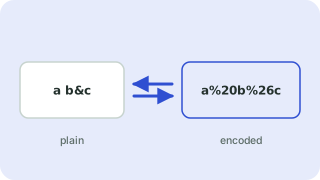 URL Encoder & DecoderPercent-encode and decode URLs and query strings
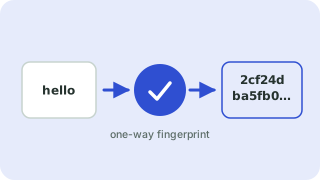 Hash GeneratorMD5, SHA-1, SHA-256 and SHA-512 hashes
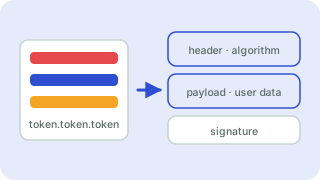 JWT DecoderDecode and inspect JSON Web Tokens
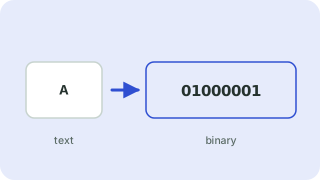 Text to Binary ConverterConvert text to binary, hex or decimal and back
- Base64 EncodeEncode text to Base64
- Base64 DecodeDecode Base64 to text