 InstantToolDeck
Image to PDF Converter
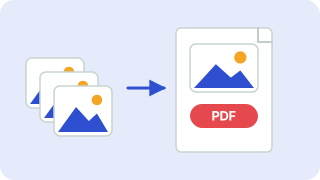
Add images, put them in order and download one PDF. The PDF is built on your device, so your files stay private.
Free · Runs in your browser · Your files are never uploaded
Your files are processed in your browser and are never uploaded.
How to make a PDF from images
- Add your pictures. Each image becomes one page, in the order shown.
- Pick a page size: A4 or US Letter place each picture centered with a margin, while “Same as image” makes each page the exact size of its picture.
- Use the arrows to reorder or remove pages, then download the PDF.
Images are converted to high-quality JPEG inside the PDF (transparent areas become white), and very large photos are scaled to at most 3,000 pixels wide to keep the file size reasonable. The PDF is created directly in your browser: no upload, no account and no watermark.
Tips
- For scanned documents, use A4 or Letter with a small margin and quality 85 for readable text.
- To shrink the PDF, lower the quality or resize the images first with the image resizer.
Popular image to pdf presets
Frequently asked questions
How do I convert a JPG to PDF?
Add the image, choose a page size and press Download PDF. Add more images to create a multi-page PDF.
Are my images uploaded?
No. The PDF is built in your browser and never leaves your device.
Can I change the page order?
Yes. Use the up and down arrows next to each image.
How many images can I add?
Up to 5 pages at a time.
Related tools
 Image CompressorReduce image file size without uploading
 Image ResizerResize images to exact pixels or a percentage
 Image ConverterConvert between PNG, JPG and WebP
 Base64 Encoder & DecoderEncode text to Base64 and decode it back
- JPG to PDF ConverterConvert JPG photos to PDF
- PNG to PDF ConverterConvert PNG images to PDF