 InstantToolDeck
PNG to PDF Converter
Add PNG images or screenshots and download them as one PDF.
Free · Runs in your browser · Your files are never uploaded
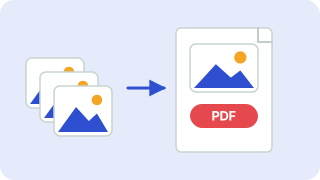
Your files are processed in your browser and are never uploaded.
Turning PNGs into a PDF
PNG screenshots, diagrams and exported designs convert neatly to PDF. The default “Same as image” page size makes each page exactly as large as its picture with no margin, which suits screenshots; switch to A4 or Letter for printing or submitting documents.
Transparent areas of a PNG become white in the PDF. To keep a long list of screenshots in order, add them all and move pages with the arrows before you download.
Need more options? Open the full Image to PDF.
Frequently asked questions
How do I convert PNG to PDF?
Add your PNG files and press Download PDF. Pages follow the order shown.
What happens to transparent backgrounds?
They are filled with white in the PDF.
Can I choose the page size?
Yes: A4, US Letter, or the same size as each image.
 Image Compressor
 Image Resizer
 Image Converter