 InstantToolDeck
JPG to PDF Converter
Add JPG photos and download them as one PDF, built privately on your device.
Free · Runs in your browser · Your files are never uploaded
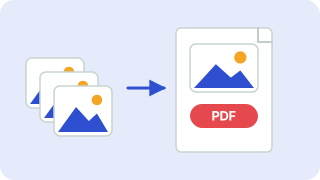
Your files are processed in your browser and are never uploaded.
Turning JPGs into a PDF
A PDF is the easiest way to send several photos or scans as one document: signed forms, receipts, ID copies, or a photographed set of notes. Add the JPG files, reorder them if needed and download one PDF with one page per picture.
JPGs are placed into the PDF without needless re-compression where possible and scaled to fit the page, so text in scans stays readable. For forms that cap file size, lower the image quality a little or resize photos first.
Need more options? Open the full Image to PDF.
Frequently asked questions
How do I convert a JPG to a PDF?
Add the JPG, choose A4 or Letter and press Download PDF.
Can I combine several JPGs into one PDF?
Yes. Each image becomes a page, and you can reorder them before downloading.
Will my photos be uploaded?
No. The PDF is made in your browser.
 Image Compressor
 Image Resizer
 Image Converter