HTML, CSS & JavaScript Minifier
Paste HTML, CSS or JavaScript and get a smaller version with comments and extra whitespace removed. The size saved is shown.
Free · Runs in your browser · Your text is never uploaded
What minification does
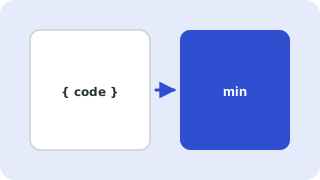
Minifying removes everything a browser does not need: comments, indentation and line breaks. Smaller files download faster, which helps page speed and Core Web Vitals, both of which matter for search rankings.
How each language is handled
- CSS: comments and spaces are removed, the last semicolon in a rule is dropped,
0pxbecomes0and0.5embecomes.5em. - JavaScript: comments and extra whitespace are removed while strings, template literals and regular expressions are preserved. Line breaks that could change how statements end are kept, so the code behaves the same.
- HTML: comments are removed and whitespace is collapsed, while
<pre>and<textarea>content is untouched. Inline<style>and<script>blocks are minified too.
Limits
This is a safe whitespace minifier. It does not rename variables or rewrite code the way build tools such as Terser do, so savings are smaller but the risk of breaking something is very low. Always test minified code before deploying.
Everything runs in your browser. Nothing you paste is uploaded, logged or stored, so it is safe to use with private data.
Related guides
Popular html, css & javascript minifier presets
Frequently asked questions
How do I minify CSS or JavaScript?
Paste your code and the minified version appears with the number of bytes saved. Copy it into your project.
Will minifying break my code?
This tool only removes comments and whitespace and keeps strings and regular expressions intact, so working code keeps working. Test it before deploying anyway.
Why is the saving smaller than other minifiers?
Advanced minifiers shorten variable names and restructure code. This tool deliberately does not, to stay safe.
Does minifying help SEO?
Smaller files load faster, and page speed is a ranking signal, so it can help a little.
Related tools
 SQL FormatterBeautify and indent SQL queries
 JSON Formatter & ValidatorFormat, minify and validate JSON
 Base64 Encoder & DecoderEncode text to Base64 and decode it back
 Text Diff CheckerCompare two texts and see what changed
- CSS MinifierMinify CSS by removing comments and whitespace
- JavaScript MinifierMinify JavaScript by removing comments and whitespace while keeping strings and regular expressions intact
- HTML MinifierMinify HTML by removing comments and extra whitespace, with inline CSS and JS compressed too