CSS Minifier
Paste CSS and get a compact version with the size saved.
Free · Runs in your browser · Your text is never uploaded
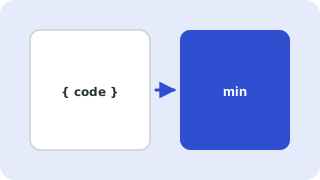
What CSS minification removes
Comments, spaces, line breaks and the last semicolon in each rule. It also shortens values such as 0px to 0 and 0.5em to .5em.
Impact
Smaller CSS loads faster, which helps page speed. Gains are largest on hand-written, well-commented files.
Keep your source
Edit the original file and minify only for publishing.
What minifying changes
Comments, line breaks and spaces are removed, and some values are shortened. Keep the readable file as your source and publish the minified copy. Typical savings are 20 to 40 percent before server compression.
Best practice
Keep the readable stylesheet in your project and generate the minified file during deployment. Combine files where possible to cut HTTP requests, and remove CSS you do not use, which often saves far more than whitespace.
Need more options? Open the full HTML, CSS & JavaScript Minifier.
Related guides
Frequently asked questions
Will minifying break my CSS?
No. The rules remain the same. Test the page after deploying.
Does it merge or reorder rules?
No. Rules stay in their original order.
Related tools
- HTML, CSS & JavaScript MinifierMinify HTML, CSS and JS to reduce file size
- JavaScript MinifierMinify JavaScript by removing comments and whitespace while keeping strings and regular expressions intact
- HTML MinifierMinify HTML by removing comments and extra whitespace, with inline CSS and JS compressed too
 SQL FormatterBeautify and indent SQL queries
 JSON Formatter & ValidatorFormat, minify and validate JSON
 Base64 Encoder & DecoderEncode text to Base64 and decode it back