Compress Image to 20 KB
Drop a photo and get it under 20 KB. Nothing leaves your device.
Free · Runs in your browser · Your files are never uploaded
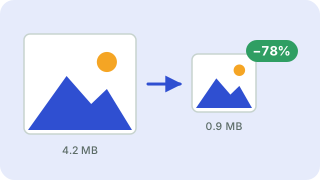
Your files are processed in your browser and are never uploaded.
Reduce an image to under 20 KB
Signature and thumbnail uploads on application portals often cap files at 20 KB. At this size expect a small image or a lower quality, so start from a tightly cropped picture.
The tool tests JPEG quality levels and keeps the highest one that fits under 20 KB. If quality alone is not enough, it also reduces the pixel dimensions step by step, so you always end up with a file that fits. Your photo is processed in your browser and is never uploaded.
Tips for a better result
Crop away empty borders first, because every pixel costs bytes. If the result looks too soft, set a larger target in the main compressor or accept a slightly smaller picture. Photos with lots of fine texture (grass, hair, fabric) compress worse than flat graphics.
Need more options? Open the full Image Compressor.
Related guides
- How to compress images without losing visible quality
- JPG vs PNG vs WebP: which image format should you use?
- How to prepare a digital passport or visa photo
- What EXIF data is and how to remove it from your photos
- How to crop images for social media, profile photos and thumbnails
- How to minify HTML, CSS and JavaScript
- How to compress an image to under 1 MB
Frequently asked questions
How do I make a photo smaller than 20 KB?
Drop it above. The target is already set to 20 KB; download the result when it finishes.
Will the picture look worse?
Slightly. The tool chooses the best quality that still fits the limit, so you lose only as much detail as needed.
Is my image uploaded to a server?
No. Compression runs entirely in your browser.
Related tools
- Image CompressorReduce image file size without uploading
- Compress JPEG ImagesMake JPG photos smaller
- Compress PNG ImagesReduce PNG file size
- Compress WebP ImagesCompress and convert images as WebP
- Compress Image to 50 KBReduce images to under 50 KB
- Compress Image to 100 KBReduce images to under 100 KB
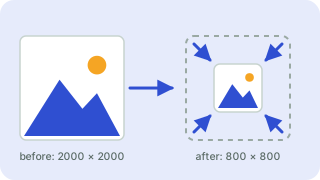 Image ResizerResize images to exact pixels or a percentage
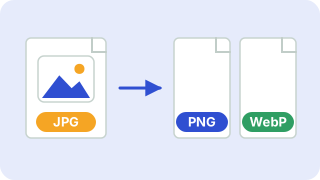 Image ConverterConvert between PNG, JPG and WebP