 InstantToolDeck
Compress PNG Images
Drop PNG images to shrink them. Nothing is uploaded.
Free · Runs in your browser · Your files are never uploaded

Your files are processed in your browser and are never uploaded.
How to make a PNG smaller
PNG is a lossless format, so every pixel is preserved and the file only gets smaller if the picture itself gets simpler or smaller. In this tool a PNG stays a PNG, and you can reduce its size by setting a maximum width. A 3000 px screenshot displayed at 1200 px can drop by 80% or more.
For photos saved as PNG, switch the output to WebP (or JPG if transparency is not needed): the result is typically 70–90% smaller. If your PNG cannot be reduced, the tool keeps the original file instead of making it bigger.
Need more options? Open the full Image Compressor.
Frequently asked questions
How do I compress a PNG?
Set a smaller maximum width or choose WebP/JPG output. Plain re-saving of a PNG rarely makes it smaller.
Why does my PNG stay the same size?
PNG is lossless, so the pixels are identical. Reduce the dimensions or change the format to shrink it.
Does PNG compression keep transparency?
Yes with PNG and WebP output. JPG output fills transparent areas with white.
Related tools
- Image CompressorReduce image file size without uploading
- Compress JPEG ImagesMake JPG photos smaller
- Compress WebP ImagesCompress and convert images as WebP
- Compress Image to 50 KBReduce images to under 50 KB
- Compress Image to 100 KBReduce images to under 100 KB
- Compress Image to 200 KBReduce images to under 200 KB
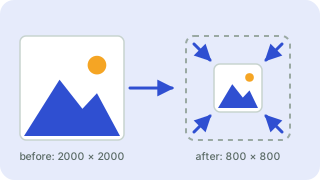 Image ResizerResize images to exact pixels or a percentage
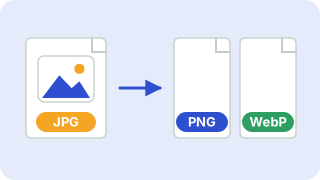 Image ConverterConvert between PNG, JPG and WebP