 InstantToolDeck
Hash Generator
Type or paste text to see its MD5, SHA-1, SHA-256, SHA-384 or SHA-512 hash.
Free · Runs in your browser · Your text is never uploaded
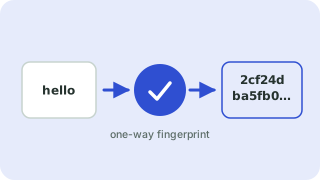
What a hash is
A hash function turns any input into a fixed-length fingerprint. The same text always gives the same hash, but even a one-character change produces a completely different result, and the original text cannot be recovered from the hash.
Which algorithm should I use?
- SHA-256 / SHA-512: the modern default for checksums and integrity checks.
- SHA-1: broken for security (collisions are practical); fine only for legacy compatibility such as Git object IDs.
- MD5: also broken for security, but still widely used for quick file checksums and cache keys.
Do not use any of these to store passwords. Fast hashes can be guessed billions of times per second; use a dedicated password hash such as bcrypt, scrypt or Argon2. Hashing here uses your browser’s built-in Web Crypto API (MD5 is computed by a small built-in routine), and the text never leaves your device.
Popular hash generator presets
Frequently asked questions
Can a hash be reversed?
No, hashing is one-way. Attackers recover simple inputs only by guessing and comparing hashes, which is why passwords need slow, salted hashes.
Is MD5 still safe?
Not for security. It is still fine for non-security uses such as detecting accidental file changes.
Why is my hash different from another tool’s?
Usually trailing whitespace, a different line ending, or a different text encoding. This tool hashes your text exactly as typed, encoded as UTF-8.
Is my text uploaded?
No. Hashes are computed locally in your browser.
Related tools
 Password GeneratorCreate strong random passwords
 UUID GeneratorGenerate random UUID v4 and v7 values
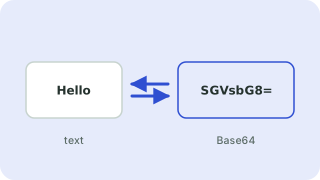 Base64 Encoder & DecoderEncode text to Base64 and decode it back
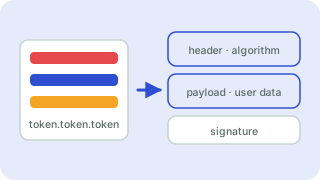 JWT DecoderDecode and inspect JSON Web Tokens
- MD5 Hash GeneratorGenerate MD5 hashes
- SHA-1 Hash GeneratorGenerate SHA-1 hashes
- SHA-256 Hash GeneratorGenerate SHA-256 hashes
- SHA-512 Hash GeneratorGenerate SHA-512 hashes