Split PDF into Single Pages
Turn a multi-page PDF into separate one-page files, bundled in a ZIP.
Free · Runs in your browser · Your files are never uploaded
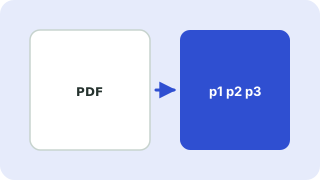
Your files are processed in your browser and are never uploaded.
One file per page
Each page becomes its own PDF named after the original, such as report-page-3.pdf, and all files are bundled in a single ZIP so you only download once.
Use cases
Sending individual pages to different people, separating scanned receipts, or splitting a batch scan where each page is a separate document.
Size
Page content is copied without recompression, so the pieces together are about the size of the original, plus a small overhead for each file.
Need more options? Open the full Split PDF & Extract Pages.
Related guides
Frequently asked questions
How do I split a PDF into separate files?
Choose one PDF per page, add your file and press the button. You get a ZIP.
Can I split by chapters instead?
Yes. Choose one PDF per range and type ranges such as 1-10, 11-25, 26-40.
Related tools
- Split PDF & Extract PagesExtract pages or split a PDF into separate files
- Extract Pages from a PDFPull specific pages out of a PDF into a new file
- Split PDF by Page RangeSplit a PDF into parts by typing page ranges like 1-10, 11-25
 Merge PDF FilesCombine several PDFs into one, in your order
 Delete PDF PagesRemove unwanted pages from a PDF
 Rotate PDF PagesRotate all or selected PDF pages permanently