Rotate PDF Pages
Fix sideways or upside-down scans. Rotate the whole document or only the pages you list, then download the corrected PDF.
Free · Runs in your browser · Your files are never uploaded
Your files are processed in your browser and are never uploaded.
How to rotate a PDF
- Add your PDF.
- Choose the angle. Clockwise 90° turns a landscape page upright if the top is on the left.
- Leave Pages to rotate empty for the whole document, or list pages such as
2-4, 7. - Press Rotate and save.
What actually changes
The tool sets the page rotation flag in the PDF, which is how PDF viewers turn pages. The text and images inside are not re-rendered, so there is no quality loss and the file size stays almost the same. If a page was already rotated, the new angle is added to the existing one.
Mixed documents are common after scanning: portrait pages with a few landscape ones. Use the pages box to rotate only those.
Your files are processed entirely in your browser. Nothing is uploaded to a server, which you can confirm in your browser's Network tab.
Related guides
Popular rotate pdf pages presets
Frequently asked questions
How do I rotate one page in a PDF?
Enter that page number in Pages to rotate, choose the angle and press Rotate and save.
Does rotating reduce quality?
No. Only the page rotation setting changes. Content is not recompressed.
Will the rotation be permanent?
Yes. The saved file opens rotated in any PDF viewer.
Can I rotate a password-protected PDF?
Not here. Remove the password first, then rotate it.
Related tools
 Merge PDF FilesCombine several PDFs into one, in your order
 Split PDF & Extract PagesExtract pages or split a PDF into separate files
 Delete PDF PagesRemove unwanted pages from a PDF
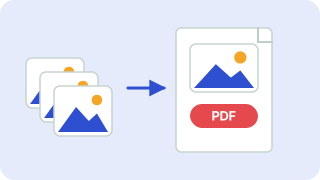 Image to PDFCombine JPG and PNG images into one PDF
- Rotate PDF 90 DegreesRotate a PDF 90 degrees clockwise and save it permanently
- Rotate PDF 180 DegreesFlip upside-down PDF pages with a 180 degree rotation and save the corrected file