Markdown to HTML Converter
Paste Markdown and copy the HTML.
Free · Runs in your browser · Your text is never uploaded
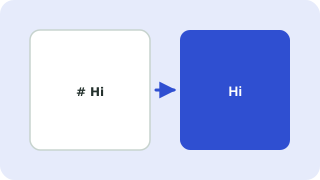
From Markdown to HTML
Headings, lists, links, tables and code blocks are converted to standard HTML tags you can paste into a page or CMS. Heading ids are generated so you can link to sections.
Safe output
Raw HTML in the source is escaped, and links that start with javascript: are removed.
Your files stay on your device
Everything happens in your browser. The files are never uploaded, so confidential documents stay private and the tool also works on a slow connection once the page has loaded.
What is converted
Headings, emphasis, lists, links, code blocks and tables are converted to clean HTML. The output is ready to paste into a CMS or template. Always check that links and code samples came out as you expect. See the Markdown syntax guide.
Writing clean Markdown
Leave a blank line between paragraphs and before and after lists and code blocks. Indent code with four spaces or fence it with three backticks. Use one heading level at a time so the HTML outline stays valid.
Need more options? Open the full Markdown Editor with Live Preview.
Related guides
Frequently asked questions
Can I paste the HTML into WordPress?
Yes. Use the HTML or code view of your editor.
Which Markdown features are supported?
Headings, emphasis, lists, task lists, tables, block quotes, code blocks, links, images and horizontal rules.
 Word Counter
 Text Cleaner
 Text Diff Checker