Markdown Editor with Live Preview
Type Markdown on the left and see how it renders as you write. Copy the HTML when you are done.
Free · Runs in your browser · Your text is never uploaded
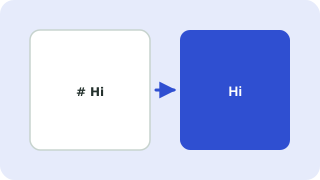
Markdown quick reference
| You type | You get |
|---|---|
# Heading | Heading (use ## and ### for smaller ones) |
**bold** and *italic* | bold and italic |
[text](https://…) | A link |
- item or 1. item | Bulleted or numbered list |
- [x] done | Task list item |
`code` | Inline code |
> quote | Block quote |
| Three backticks | Code block |
Safe by design
Raw HTML typed into the editor is shown as text and never run, and links using javascript: are removed, so pasting Markdown from anywhere is safe.
Where Markdown is used
README files, GitHub issues, documentation sites, static-site blogs, note apps and chat tools. Writing in Markdown keeps content portable, because it is plain text that converts to HTML, PDF and more.
Everything runs in your browser. Nothing you paste is uploaded, logged or stored, so it is safe to use with private data.
Related guides
Popular markdown editor with live preview presets
Frequently asked questions
How do I convert Markdown to HTML?
Paste or type your Markdown. The HTML source appears in the output box and can be copied.
Does it support tables and task lists?
Yes. Tables, task lists, code blocks, block quotes, links, images and nested lists are supported.
Is my writing saved or uploaded?
No. Everything stays in your browser tab, so copy or download your work before closing the page.
Why is my raw HTML not showing as HTML?
For safety, HTML typed into the editor is escaped and displayed as text. Only Markdown syntax is converted.
Related tools
 Word CounterCount words, characters, sentences and reading time
 Text CleanerRemove extra spaces, line breaks and blank lines
 Text Diff CheckerCompare two texts and see what changed
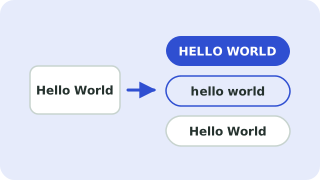 Case ConverterUPPERCASE, lowercase, Title Case, camelCase and more
- Markdown to HTML ConverterConvert Markdown to clean HTML and preview it as you type