JSON ⇄ XML Converter
Convert between JSON and XML for legacy APIs, SOAP responses and data exchange. Attributes are supported with an @ prefix.
Free · Runs in your browser · Your text is never uploaded
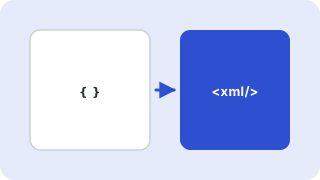
How JSON and XML map to each other
XML has features JSON does not, namely attributes, mixed text and a single root element. This converter uses the common convention: keys starting with @ become attributes, #text holds text next to child elements, and arrays become repeated elements with the same name.
Good to know
- XML has no number or boolean types, so XML → JSON returns values as strings.
- An XML document must have exactly one root. If your JSON has several top-level keys, the tool wraps them in the root name you choose.
- Characters such as
&and<are escaped automatically. - Invalid element names are cleaned (spaces become underscores).
Everything runs in your browser. Nothing you paste is uploaded, logged or stored, so it is safe to use with private data.
Related guides
Popular json ⇄ xml converter presets
Frequently asked questions
How do I convert JSON to XML?
Choose JSON → XML, paste your JSON and copy the XML. Use @ before a key to make it an attribute.
How are attributes handled when converting XML to JSON?
Attributes become keys that start with @, for example "@id": "1".
Why are my numbers strings after XML to JSON?
XML stores everything as text, so the converter cannot know whether a value is a number. Convert types in your own code if you need them.
What happens to XML comments?
They are ignored when converting to JSON.
Related tools
 JSON Formatter & ValidatorFormat, minify and validate JSON
 YAML ⇄ JSON ConverterConvert YAML to JSON and JSON to YAML
 JSON to TypeScript ConverterGenerate TypeScript interfaces from JSON
 CSV ↔ JSON ConverterConvert CSV to JSON and JSON to CSV
- XML to JSON ConverterConvert XML to JSON with attributes and repeated elements handled
- JSON to XML ConverterConvert JSON to XML with attributes, arrays and escaped special characters