 InstantToolDeck
CSV to JSON Converter
Paste CSV data and get a JSON array of objects.
Free · Runs in your browser · Your text is never uploaded
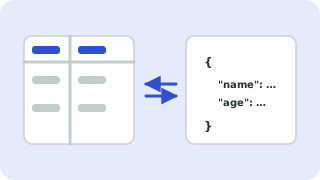
Converting CSV to JSON
The first row supplies the property names and every following row becomes an object in a JSON array. Quoted fields may contain commas and line breaks, and doubled quotes ("") are read as a single quote.
Number conversion turns 34 into a number and true into a boolean. Switch it off when your data contains identifiers such as ZIP codes or phone numbers that must keep leading zeros. For semicolon- or tab-delimited exports from Excel or European locales, choose the matching delimiter.
Need more options? Open the full CSV ↔ JSON Converter.
Frequently asked questions
How do I convert CSV to JSON?
Paste the CSV above. The result is an array of objects keyed by the header row.
What if my CSV uses semicolons?
Choose the semicolon delimiter. Many European versions of Excel export CSV that way.
What if my CSV has no header row?
Untick “First CSV row is a header” and the keys become column1, column2 and so on.
 JSON Formatter & Validator
 Sort Lines
 Remove Duplicate Lines