 InstantToolDeck
JSON to CSV Converter
Paste a JSON array of objects and get CSV for your spreadsheet.
Free · Runs in your browser · Your text is never uploaded
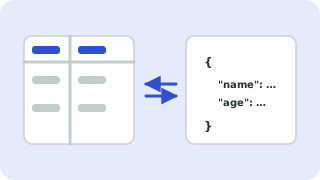
Converting JSON to CSV
Paste an array of objects such as [{"name":"Ann","age":34}]. The header is built from every key that appears in any object, so records with missing fields leave empty cells. Values containing commas, quotes or line breaks are wrapped in quotes and escaped, so the file opens correctly in Excel and Google Sheets.
CSV is flat, so nested objects and arrays are stored as JSON text in a single cell. For one column per nested value, flatten your JSON first.
Need more options? Open the full CSV ↔ JSON Converter.
Frequently asked questions
How do I convert JSON to CSV?
Paste a JSON array above and copy the CSV, then save it as a .csv file or paste into a spreadsheet.
What happens to nested JSON?
Nested objects and arrays are written as JSON text inside one cell.
Why are some cells empty?
Not every object had every key, so missing values are left blank.
 JSON Formatter & Validator
 Sort Lines
 Remove Duplicate Lines