Combine PDF Files
Add your PDFs, reorder them and download one combined file.
Free · Runs in your browser · Your files are never uploaded
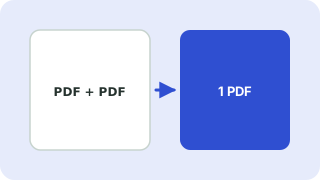
Your files are processed in your browser and are never uploaded.
When to combine PDFs
Typical jobs are joining an application form with its attachments, putting scanned pages into a single file, or assembling chapters into a report. Many online forms accept only one upload, so a single file is often required.
Getting the order right
The first file you add supplies the first pages. Use the arrow buttons to move a file up or down before you press the button; the order shown in the list is the order in the result.
Your files stay on your device
Everything happens in your browser. The files are never uploaded, so confidential documents stay private and the tool also works on a slow connection once the page has loaded.
Need more options? Open the full Merge PDF Files.
Related guides
Frequently asked questions
How do I combine PDF files for free?
Add the files, arrange them and press Merge PDFs. There is no account or watermark.
Can I combine more than two PDFs?
Yes. Add as many as your device can handle and order them as needed.
Related tools
- Merge PDF FilesCombine several PDFs into one, in your order
- Join PDF FilesJoin PDF files into a single document in your browser
 Split PDF & Extract PagesExtract pages or split a PDF into separate files
 Rotate PDF PagesRotate all or selected PDF pages permanently
 Image to PDFCombine JPG and PNG images into one PDF