YAML to JSON Converter
Paste YAML and get formatted JSON.
Free · Runs in your browser · Your text is never uploaded
Why convert YAML to JSON
APIs and many tools only accept JSON, while configuration is often written in YAML. Converting also shows how a YAML file is really parsed, which exposes indentation mistakes and unexpected types.
Gotchas
Comments are dropped. Unquoted values like yes, no or 1.0 may be read as booleans or numbers; quote them to keep text.
Your files stay on your device
Everything happens in your browser. The files are never uploaded, so confidential documents stay private and the tool also works on a slow connection once the page has loaded.
Parsing YAML
YAML allows comments, anchors and multiple styles, and the JSON output keeps only the data. Indentation must use spaces, not tabs, and mixed indentation is the most common cause of errors.
Need more options? Open the full YAML ⇄ JSON Converter.
Related guides
Frequently asked questions
How do I convert a Kubernetes YAML to JSON?
Paste the manifest. Multi-document files separated by --- should be converted one document at a time.
Why does my YAML give an error?
Look for tabs, inconsistent indentation or a missing colon at the reported line.
Related tools
- YAML ⇄ JSON ConverterConvert YAML to JSON and JSON to YAML
- JSON to YAML ConverterConvert JSON to clean, readable YAML in one click
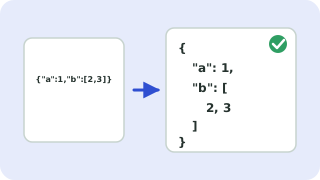 JSON Formatter & ValidatorFormat, minify and validate JSON
 JSON to TypeScript ConverterGenerate TypeScript interfaces from JSON
 JSON ⇄ XML ConverterConvert JSON to XML and XML to JSON