User Agent Parser
Paste any user-agent string and see which browser, operating system, rendering engine and device type it describes.
Free · Runs in your browser · Your text is never uploaded
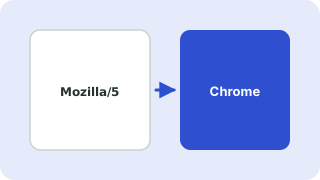
What a user-agent string is
Every browser and many apps send a User-Agent header with each request. It names the software and system making the request. Servers use it for analytics, bot detection and compatibility fixes.
Why the string looks odd
For historical reasons almost every browser starts with Mozilla/5.0 and mentions other browsers' names, so Chrome claims to be Safari and Edge claims to be both. The parser reads the most specific token first (Edge before Chrome, Chrome before Safari) to find the real browser.
Accuracy
User-agent strings can be changed by users and extensions, and browsers are reducing the detail they expose. Treat the result as a good guess and not as proof. For features, test the capability itself instead of the browser name.
Everything runs in your browser. Nothing you paste is uploaded, logged or stored, so it is safe to use with private data.
Related guides
Frequently asked questions
How do I find my own user-agent string?
Search for your user agent in a search engine, or in browser developer tools open the Network tab and look at the request headers. Then paste it here.
Why does Chrome say Safari in its user agent?
For compatibility. Many sites once checked for Safari or Mozilla, so browsers kept those words in the string.
Can it detect bots?
It recognises common crawlers such as Googlebot and Bingbot and command line tools such as curl.
Is the result always accurate?
No. Strings can be spoofed or shortened. It is best used for logs and analytics, not security decisions.
 URL Parser & Query String Decoder
 Unix Timestamp Converter
 Hash Generator
 JSON Formatter & Validator