LaTeX Equation Editor with Live Preview
Write math in LaTeX and watch it appear as you type. Errors are explained, and you can copy the code in the wrapper you need.
Free · Runs in your browser · Your text is never uploaded
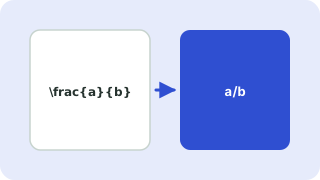
Write math in LaTeX and preview it live
The preview is drawn by KaTeX, a fast maths renderer, so you see the result as you type with no compile step. Choose Display for a centred equation on its own line or Inline for maths inside a sentence, then copy the code with the wrapper your document needs.
Common building blocks
| You want | Type |
|---|---|
| Fraction | \frac{a}{b} |
| Square root, nth root | \sqrt{x}, \sqrt[3]{x} |
| Superscript, subscript | x^{2}, x_{i} |
| Sum, product, integral | \sum_{i=1}^{n}, \prod, \int_a^b |
| Greek letters | \alpha \beta \gamma \Omega |
| Limits | \lim_{x \to 0} |
| Brackets that grow | \left( \frac{a}{b} \right) |
| Aligned equations | \begin{aligned} a &= b \\ c &= d \end{aligned} |
What the preview can and cannot do
KaTeX supports most everyday maths commands, but it is not a full LaTeX engine. Packages such as TikZ, custom macros defined in your preamble and some rarely used commands are not available. If a formula previews here, it will almost always compile in LaTeX too. If it does not preview, the error message tells you where the problem is, though a formula LaTeX accepts may still need a package in your own document.
Need a symbol you do not know the command for? Use the symbols to LaTeX converter. For arrays of numbers use the matrix generator.
Your files are processed entirely in your browser. Nothing is uploaded to a server, which you can confirm in your browser's Network tab.
Related guides
Popular latex equation editor presets
Frequently asked questions
How do I write an equation in LaTeX?
Type the formula using commands such as \frac{a}{b} for fractions and ^ for powers. The preview updates as you type and you can copy the code.
What is the difference between inline and display math?
Inline math sits inside a line of text and is written between single dollar signs. Display math is centred on its own line and uses double dollar signs or \[ and \].
Why does my equation show an error?
The message points to the problem, most often a missing brace, an unknown command or a stray character. Check that every opening { has a closing }.
Can I use it for Word or Google Docs?
Many editors, including Word and Google Docs add-ons, accept LaTeX. Copy the code without a wrapper and paste it where the editor asks for LaTeX.
Is my equation sent to a server?
No. Rendering happens in your browser.
Related tools
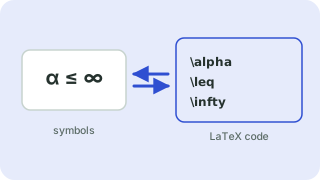 Symbols to LaTeX ConverterTurn symbols like α, ≤ and → into LaTeX code, and back
 LaTeX Matrix GeneratorCreate pmatrix, bmatrix and determinant code
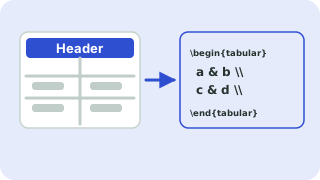 LaTeX Table GeneratorBuild a table in your browser and copy the LaTeX code
 BibTeX Formatter & CheckerClean up, sort and validate BibTeX entries
- Quadratic Formula in LaTeXThe LaTeX code for the quadratic formula, with a live preview you can edit
- Integral in LaTeXHow to write integrals in LaTeX with limits, double integrals and fractions inside, with a live preview.