Color Picker
Click the color box to pick a color and read its codes.
Free · Runs in your browser · Your text is never uploaded
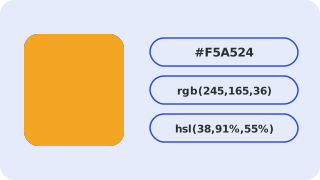
Using the picker
Click “Or pick a color” to open your browser’s color chooser. The codes update as you move. You can also type or paste a value.
Check contrast
Below the codes, the contrast ratios against white and black show which text color is readable on your choice.
Where this conversion helps
Pick a color visually, then copy the HEX, RGB or HSL code straight into your stylesheet or design tool.
Common colors for reference
These values come from the CSS standard:
| Color | HEX | RGB | HSL |
|---|---|---|---|
| Black | #000000 | 0, 0, 0 | 0, 0%, 0% |
| White | #ffffff | 255, 255, 255 | 0, 0%, 100% |
| Red | #ff0000 | 255, 0, 0 | 0, 100%, 50% |
| Lime | #00ff00 | 0, 255, 0 | 120, 100%, 50% |
| Blue | #0000ff | 0, 0, 255 | 240, 100%, 50% |
| Yellow | #ffff00 | 255, 255, 0 | 60, 100%, 50% |
| Gray | #808080 | 128, 128, 128 | 0, 0%, 50% |
Check readability
A color is only useful if text stays legible on it. The converter shows contrast ratios against white and black; WCAG AA needs 4.5:1 for normal text. For a full explanation of every notation, see HEX, RGB and HSL color codes explained.
Need more options? Open the full Color Converter.
Related guides
Frequently asked questions
How do I get the HEX code of a color?
Pick it and read the HEX line.
Can I use transparency?
Type an 8-digit HEX or rgba() value.
Related tools
- Color ConverterConvert HEX, RGB, HSL, HSV and CMYK colors
- HEX to RGB ConverterConvert a HEX color code to RGB (and HSL) online
- RGB to HEX ConverterConvert RGB values to a HEX color code online
- HEX to HSL ConverterConvert a HEX color to HSL (hue, saturation, lightness) online
- HSL to HEX ConverterConvert HSL colors to HEX online
- RGB to HSL ConverterConvert RGB colors to HSL online
 Case ConverterUPPERCASE, lowercase, Title Case, camelCase and more
 Slug GeneratorTurn titles into clean URL slugs