 InstantToolDeck
URL Slug Generator
Type a page or post title and get a clean, lowercase, hyphenated URL slug.
Free · Runs in your browser · Your text is never uploaded
What makes a good URL slug
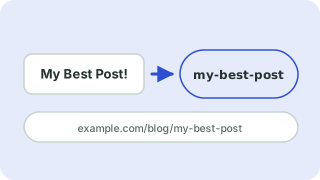
A slug is the readable last part of a URL, like /best-cafe-recipes/. Short, descriptive slugs are easier for people to read and share and for search engines to understand. Google recommends hyphens rather than underscores to separate words.
- Use lowercase letters, numbers and hyphens only.
- Keep it short: drop filler words like “the” and “a” when it still reads naturally.
- Avoid dates and numbers that will go stale if the page is updated.
- Never change a live slug without setting up a redirect.
This tool strips accents (café becomes cafe), turns “&” into “and”, removes apostrophes and replaces every other symbol or space with your chosen separator. With a maximum length it cuts at a word boundary where possible.
Frequently asked questions
Should I use hyphens or underscores in URLs?
Hyphens. Google treats hyphens as word separators but does not reliably treat underscores that way.
What happens to accented letters?
They are converted to plain letters, so “Crème Brûlée” becomes “creme-brulee”.
How long should a slug be?
As short as possible while staying descriptive, typically three to five words.
Can I make several slugs at once?
Yes. Put each title on its own line and you get one slug per line.
 Case Converter
 Text Cleaner
 Word Counter