HEX to HSL Converter
Enter a HEX color to get its HSL value.
Free · Runs in your browser · Your text is never uploaded
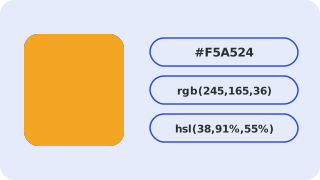
What HSL means
HSL describes a color by hue (the angle on the color wheel, 0–360), saturation (how vivid) and lightness (how light or dark). It makes it easy to build lighter or darker shades by changing only the lightness.
Rounding
HSL values are rounded to whole numbers, so converting back may differ by one step in one channel.
Where this conversion helps
HSL is handy for generating lighter and darker shades, hover states and themes, because you only change one number instead of three.
Common colors for reference
These values come from the CSS standard:
| Color | HEX | RGB | HSL |
|---|---|---|---|
| Black | #000000 | 0, 0, 0 | 0, 0%, 0% |
| White | #ffffff | 255, 255, 255 | 0, 0%, 100% |
| Red | #ff0000 | 255, 0, 0 | 0, 100%, 50% |
| Lime | #00ff00 | 0, 255, 0 | 120, 100%, 50% |
| Blue | #0000ff | 0, 0, 255 | 240, 100%, 50% |
| Yellow | #ffff00 | 255, 255, 0 | 60, 100%, 50% |
| Gray | #808080 | 128, 128, 128 | 0, 0%, 50% |
Check readability
A color is only useful if text stays legible on it. The converter shows contrast ratios against white and black; WCAG AA needs 4.5:1 for normal text. For a full explanation of every notation, see HEX, RGB and HSL color codes explained.
Need more options? Open the full Color Converter.
Related guides
Frequently asked questions
How do I convert HEX to HSL?
Paste the HEX code and read the HSL line.
What range does hue use?
0 to 360 degrees.
Related tools
- Color ConverterConvert HEX, RGB, HSL, HSV and CMYK colors
- HEX to RGB ConverterConvert a HEX color code to RGB (and HSL) online
- RGB to HEX ConverterConvert RGB values to a HEX color code online
- HSL to HEX ConverterConvert HSL colors to HEX online
- RGB to HSL ConverterConvert RGB colors to HSL online
- Color Name to HEXFind the HEX and RGB code for any CSS color name such as coral, navy or rebeccapurple
 Case ConverterUPPERCASE, lowercase, Title Case, camelCase and more
 Slug GeneratorTurn titles into clean URL slugs