 InstantToolDeck
Wi-Fi Password Generator
Create a strong Wi-Fi password without look-alike characters.
Free · Runs in your browser · Your text is never uploaded
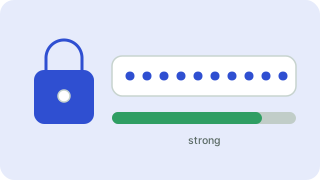
A good Wi-Fi password
Use WPA2 or WPA3 and a long random passphrase. Wi-Fi keys are often typed on phones and smart TVs, so this preset avoids look-alike characters (I, l, 1, O, 0) and skips symbols that are awkward on keyboards while keeping 20 characters for strength.
Set it in your router’s wireless settings, give guests their own network if your router supports it, and change the router’s admin password as well, since a strong Wi-Fi key does not protect the admin page.
Need more options? Open the full Password Generator.
Frequently asked questions
How long should a Wi-Fi password be?
At least 16 characters. Longer random keys protect against offline guessing of captured handshakes.
Why avoid symbols in a Wi-Fi password?
They are hard to type on TVs and consoles. A longer letters-and-digits key is just as strong.
Should I use WPA2 or WPA3?
Use WPA3 if all devices support it, otherwise WPA2 with AES. Avoid WEP and WPA.
 Hash Generator
 UUID Generator
 Random Number Generator