Cron Expression Explainer
Type a cron expression such as */15 9-17 * * 1-5 and see what it means in plain English, plus the next times it will run.
Free · Runs in your browser · Your text is never uploaded
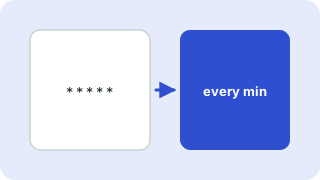
The five cron fields
A standard cron expression has five fields separated by spaces: minute (0–59), hour (0–23), day of month (1–31), month (1–12 or JAN–DEC) and day of week (0–7 or SUN–SAT, where 0 and 7 are Sunday).
| Symbol | Meaning | Example |
|---|---|---|
* | Every value | * * * * * runs every minute |
, | A list | 0 9,17 * * * runs at 09:00 and 17:00 |
- | A range | 0 9 * * 1-5 runs at 09:00 on weekdays |
/ | A step | */10 * * * * runs every 10 minutes |
A common surprise
When both day-of-month and day-of-week are set (neither is *), standard cron runs the job when either matches, not both. For example 0 0 13 * 5 runs on the 13th of every month and on every Friday.
Cron servers use their own time zone, often UTC. Check yours before relying on the run times. This tool reads the common 5-field format; expressions with a seconds field (Quartz style) are not supported.
Everything runs in your browser. Nothing you paste is uploaded, logged or stored, so it is safe to use with private data.
Related guides
Popular cron expression explainer presets
Frequently asked questions
What does */5 * * * * mean?
It runs every 5 minutes, all day, every day.
How do I run a cron job every day at midnight?
Use 0 0 * * *, or the alias @daily.
What is the difference between day-of-month and day-of-week?
Day-of-month is the date (1–31) and day-of-week is the weekday (0–7). If both are restricted, the job runs when either one matches.
Does this support seconds?
No. It reads the standard 5-field format used by Linux cron and most schedulers. Six-field Quartz expressions are different.
Related tools
 Unix Timestamp ConverterConvert epoch time to a date and back
 Regex TesterTest JavaScript regular expressions live
 UUID GeneratorGenerate random UUID v4 and v7 values
 JSON Formatter & ValidatorFormat, minify and validate JSON
- Cron Every 5 MinutesThe cron expression to run a job every 5 minutes is */5 * * * *
- Cron Every Day at MidnightUse 0 0 * * * to run a cron job every day at midnight, or the alias @daily
- Cron Every Weekday at 9 AM0 9 * * 1-5 runs a cron job at 09:00 on Monday to Friday